"The fastest, easiest virtual tour system on the planet!™"
Google Translate
Studio 2010

Tourweaver

- Overview
- Version Comparison
- System Requirements
- Gallery
- Order


Panoweaver

Panowalker

Modelweaver

Panorama2Flash

Gallery

Order Now!


0-360 users receive
special pricing on all
Easypano Products!
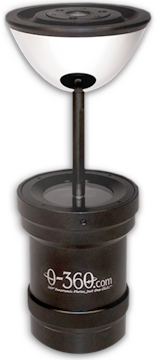
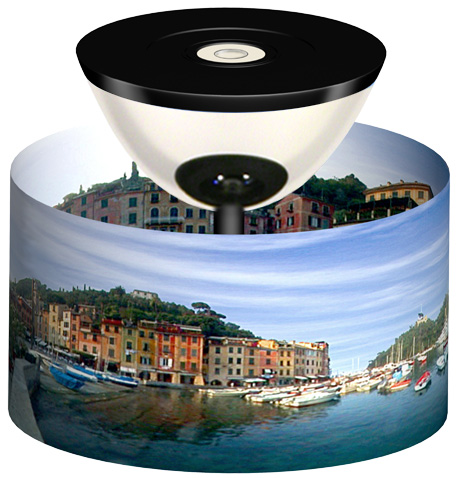
NOTE: The 0-360 UnWrapper™ software, included with the purchase of the 0-360 Panoramic Optic™, is all the software needed to create tours like those shown on our Home page. That method uses the pull-down menu system to navigate from scene-to-scene. 0-360 users who are willing to learn a few line of coding can also create tours using hotspots. Easypano's Tourweaver, described below, is recommended for taking the tours one step further, with customizable skins, floorplans, hotspots, and much more. It is an add-on for the 0-360 Panoramic Optic™, but is not required for its use, or to create tours like those shown on our Home page or Gallery.


Tourweaver 5.00
Special: From $179* for 0-360 Users!

Overview
Tourweaver 5.00 is the latest Virtual Tour Software from Easypano - designed to create professional virtual tours with rich Flash features!

Stunning virtual tours are easily created with both panoramas and still images. Tourweaver 5.00 integrates various virtual tour components including popup windows, floorplans, hotspots, radar and links. With this innovative virtual tour software, you will be able to create professional-quality Flash virtual tours!


     screenshots:


Compare

Key Features

Standard

Professional

Fully compatible with the 0-360 Panoramic Optic™

Download

Price (View Online Store)

$179*

$719*

List Panel

Scene types: 360 panoramas, partial panoramas and still images

Scene: Play Loop

Map

Only one map

Multiple maps

Window: Add PopupWindow

Tour Components

Hotspot and radar for map and scene; movie controller, button, image, thumbnail, combobox, listbox for virtual tour skin

Set anchors to Button, MovieController, Listbox, Combobox, Image, Textarea, Thumbnail and Text by (X,Y) coordinates

Zoomable hotspots in scale with FOV

TextArea: displays dynamic hint for tour hotspot, button and radar

Thumbnail: set background color and style

Radar: set scan area color

Image: set opacity values

Tour Components (Thumbnail, Listbox, Combobox) Sources

Scene

Map

Movie

Loading Window

Preloading Image customization


Easypano loading image


Customized (*.swf can be used)

Progressbar Style options

None

Standard, Custom(*.swf can be used)

Main Window

Customized Viewer Skin

Percentage can be set to Main Window so that the size of tour window can display at specific percentage of the browser window.

Scene Viewer

Width/height can be set as specifc percentage of the main window width/height

Anchor the Scene Viewer with (X,Y) coordinates.

ProgressBar Style

None, Standard

Standard, Custom(*.swf can be used)

Distinguish visited and unvisited hotspot

Preloading Image

PopupWindow

Add tour components in PopupWindow

Map Viewer

Set transparent for Bg Color

Set anchors of Map Viewer by X/Y coordinates

Hide Mapviewer Initially

Distinguish Visited/Unvisited Hotspot/Radar

Actions

More than one action for a single tour component


Only one action

Open Popup Window

Show/hide Popup Window

Close Popup Window

Email-to

Set Email address

Set Email subject

Set Email body

Slideshow

Edit slideshow, including adding, deleting frames and altering frame properties

Publish Settings

Full screen of scene viewer and map viewer

Set quality percentage of scenes displaying in normal screen mode and jpg quality

Slice loading of scenes, with gray and blur modes

Indicate load progress of the first scene in the progress bar of the loading window

Encrypt Image with Copyright Protection

Output Files Organization of sharing some common files of two different tours.

Only single Mode

Right-Menu

Link to Easypano website

Preferences

Transition effects, duration and speed of scene

JPEG Quality

Progressbar of Loading Window

Others

Select multiple components of the same type to change properties


System Requirements

System Requirements: Tourweaver 5.00
       Microsoft Windows 2000/XP/Vista
Processor:     PIII 800MHz or faster
RAM:     512 MB or more (1 GB recommended)
Hard Disk Space:     100 MB (300 MB for HDR images)
Network Connection:     Internet Connection Required
Display:     800x600 Resolution; 256-colors or more (1024x768 Resolution Recommended)
note: 1GB RAM is recommended to stitch panoramas over 6000x3000, or to create HDR images.


download free trial


Questions? Click here to email us.


Contact Us | Home

Copyright © 2002-2010    0-360.com    All rights reserved.
0-360™, Panoramic Optic™, UnWrapper™, et al., are trademarks of Bellissimo Inc.
about Bellissimo, Inc.